

Showing posts with label google. Show all posts
Showing posts with label google. Show all posts
Sunday, March 4, 2012
Google Certified Trainer
As all my students know, I love Google, Google Apps, Google Products, etc! I am so thrilled that PVUSD is a Google Apps For Education District because I love cloud computing and all the amazing (and free) features Google has to offer teachers and students. While at the Google Teacher Academy last summer, I learned about how to become a Google Certified Trainer (different than a Google Certified Teacher) and I made it a goal. To sum up, I passed the six 90-minute, ridiculously tricky exams, created a video about myself, created a screencast about Google apps, answered a bunch of essay questions, wrote a case study, filled out the application and submitted everything to Google a few months ago. This weekend, I received my acceptance letter!
I am so excited to be a Google Certified Trainer! Google is a huge passion for me and I was actually surprised at how challenging it was to achieve this goal. Hooray for Google! :)

Saturday, October 1, 2011
Google SketchUp
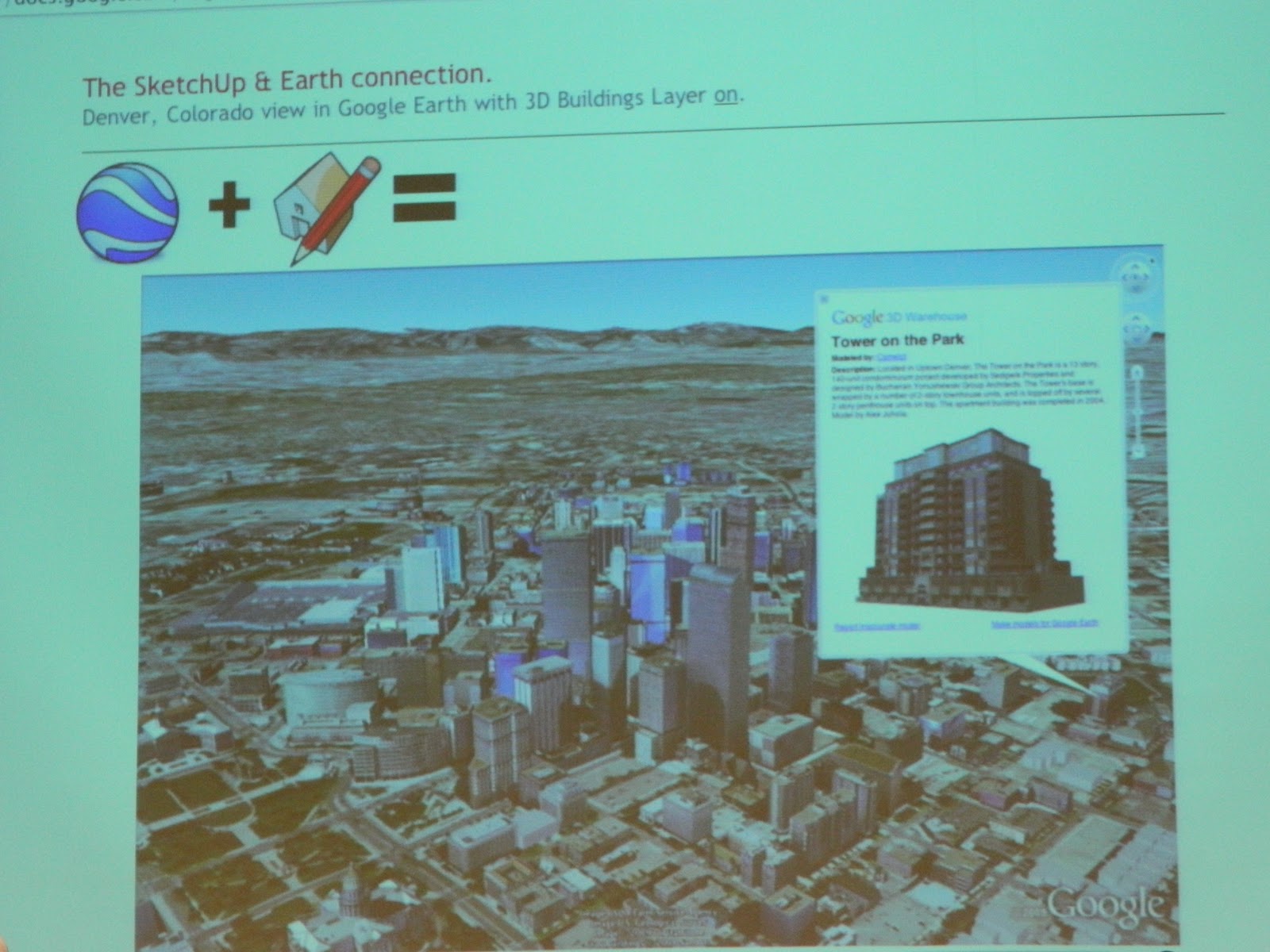
Before the Google Geo Teacher Institute I knew very little about Google SketchUp. I downloaded it at some point a while back but didn't quite grasp it so I put it on a back burner. After an intensive breakout session earlier this week, I feel like I have a MUCH better understanding of SketchUp and am eager to use it in the classroom. It incorporates math, geospatial reasoning, geography, chromatography and many other educational concepts.
My session was taught by Allyson McDuffie, the manager of the SketchUp for Education Program at Google. She kept things moving very fast and inundated us with tons of relevant information.
Here is just a little bit of what I learned:
 |
| This is "Susan." |
Susan Willard is a Google Engineer who worked on the original Google Sketchup. Each time a new version of SketchUp comes out a new model is included to give designers a relative sense of scale. She’s the first female to be the default SketchUp model! Version 8 is out now.
 |
| The "push/pull tool" is designed to expand or decrease the volume of geometry in models. |
SketchUp is primary a “click and release” program, generally it does NOT require clicks and drags. The push/pull tool is what SketchUp is known for and it is a patented tool.
 |
| My doghouse - complete with a roller coaster and of course, a mini schnauzer. |
We spent time in class building a doghouse, which was mainly for practice using the tools, and then we learned how to model a real building that actually exists. It was challenging to learn a program as complex as Google SketchUp in a single day but I walked away realizing that like Scratch, SketchUp has a low bar but a very high ceiling. It is easy to begin using and there are many basic functions, but users can take SketchUp to many levels and go very deep.
Wednesday, September 28, 2011
Google Maps and Google Earth
Following is a brief summary of a few of the many things I learned in my Google Maps/Earth breakout session:
Google Street View is a technology featured in Google Maps and Google Earth that provides panoramic views from various positions along many streets in the world. Google has special boats and bikes to collect street view images from places like National Parks, the Grand Canyon, ski resorts or narrow alleys, etc. Drag the Pegman to places where photos have been taken to view that place in "street view".
In Google Maps you can physically drag your route on a map to change it and it also has shaded elevation layers. Customized Google Maps can be exported as a KML file, which can be opened in Google Earth. KML files can be created within Google Maps.
Fusion Tables can be used with both Google Maps and Google Earth and there is a collaborative option within maps. With the My Maps feature in Google Maps, you can mark locations, paths, and regions of interest on a personalized map, and share it with the world or a specified group. You can even add descriptive text, embed photos and videos, and view your map on Google Earth.
 |
| This is Pegman! |
 |
| Google Street View Camera |
 |
| Google Fusion Table |
 |
| Map Overlay |
Overlays are extremely powerful for Google Earth and there are many free overlay maps available for public use. Historical maps as well as modern maps can be used as overlays. Rumsey Historical Maps are a built-in layer of overlays in Google Earth’s Gallery.
Now available in the Google Earth Gallery are 3D Tours and they are incredible! They 3D Trees are pretty awe-inspiring as well.
Google Earth Keyboard Shortcuts:
 |
| Google Earth Had More Than 50 Species of 3D Trees |
Google Earth Keyboard Shortcuts:
N = North
U = Up
R = Up and North at the Same Time
U = Up
R = Up and North at the Same Time
Command and an arrow key will allow you to tilt up or down.
Tuesday, September 27, 2011
Google Geo Teacher Institute - Day 2
 |
| Day 2! |

 |
| Truly GIANT Maps! |

Monday, September 26, 2011
Google Geo Teacher Institute - Day 1


The clear message Governor King delivered to the Googlers in the room was this: Classroom technology is a tool and it must be used properly. Teachers need to engage their students and teach them to think, be creative, find answers and understand information. We should teach our students to be good digesters, not good regurgitators. Technology is a powerful classroom tool but teachers must have the training and understanding to use it properly and effectively.

Next on the agenda was Jerome Burg, the creator of Google Lit Trips. I had the pleasure of meeting Mr. Burg this summer during the Google Teacher Academy and I am more impressed than ever! Google Lit Trips are free downloadable files that mark the journeys of characters from books and stories on the surface of Google Earth. At each stop along the way there are placemarks with pop-up windows containing a variety of resources. The focus of a Google Lit Trip is to create engaging and relevant literary experiences. It puts the the reader inside the story and really only makes sense if you are currently reading or have previously read the accompanying literature. Mr. Burg is quick to point out that a Google Lit Trip is NOT like using Spark Notes or Cliffs Notes. The experience is designed to stimulate higher level thinking skills and allow students to make connections.

Next up - Michael Hathorn and his amazing tales of he and his students literally putting Hartford, Vermont on the map using Google SketchUp. He and his enthusiastic students created a digital history of their tiny New England town by constructing 3D models of the town's tiny buildings and geo-locating them in Google Earth. More information regarding Google SketchUp to follow - that was my afternoon break out session and I learned a ton!

Still before lunch I was schooled in Motion XGPS, aggregating data, Google Fusion Tables and Geospatial Thinking. The training was intensive and fast paced. I loved every minute of it! I took notes, tweeted about my experience and basically just tried to keep up. Tomorrow's focus: Google Earth and Google Maps.
Tuesday, July 19, 2011
The Google Teacher Academy

A couple weeks ago I was casually checking my email, only to notice one of the most thrilling and exciting messages ever:
Congratulations!
You have been selected to participate in the Google Teacher Academy - Washington. After reviewing your application, we believe that you have the experience and passion necessary to positively impact education in your region, and we are excited to have you join us at the Google office in Seattle.
You have been selected to participate in the Google Teacher Academy - Washington. After reviewing your application, we believe that you have the experience and passion necessary to positively impact education in your region, and we are excited to have you join us at the Google office in Seattle.
Although I'd spent many hours working on my GTA application and creating the required movie, I was truly shocked, stunned and thrilled to actually be accepted into this prestigious program! There were approximately 4,000 applicants and 50 were accepted. In this age of instant communication the 49 other educators from around the globe who had also been accepted, almost immediately started connecting through tweets, emails, wikis and shared documents. Looking through the biographies of these amazing educators is quite humbling.
There is little information available regarding GTA and they have informed us all that we are not allowed to take any photos inside of Google and must sign a Non-Disclosure Agreement before entering the building. However, I have heard from a few teachers who have attended previous Google Teacher Academies that the experience is life-changing and unlike any other training. Rumor has it that the academy will most likely exceed all of our expectations, and it is invaluable and inspirational.
I can't wait!
And believe it or not, it gets even better.
In the original acceptance email was an invitation to apply to the YouTube Teacher Academy:
We're inviting you to apply be part of our inaugural class at the first YouTube Teacher Academy, a 1-day workshop that will give you the basic training and equipment needed to become a part of a star teaching team on YouTube EDU. This workshop will occur the day before the GTA in Seattle. This does require another application (and is limited to 15 participants), but it is ONLY open to those of you who have already been accepted into the GTA.
I figured I may as well give it a shot although considering they were only accepting 15 out of the 50 of us. I felt pretty intimidated by the 49 I was up against after viewing their websites and reading about their extensive awards and technology experience. I realized the competition was very stiff.
However, a few days later I received this email:
After reviewing many thoughtful and creative applications for the inaugural session of the YouTube Teacher's Studio you have been selected to participate - congratulations!
We believe that this program has the potential to spark a transformation in the way teachers connect with students, both in the classroom and outside. Your ability to create engaging videos and envision a future classroom that thoroughly integrates YouTube EDU makes you all the ideal teachers to participate and evangelize the YouTube Teacher's Studio.
WOW! I was absolutely blown away and actually went back to the email a few times to make sure I had read it correctly.
This is the movie I created (with the help of some students, of course) to submit as part of my original application. We shot the footage the last few days of school and I did all the editing the first week of summer break. The movie was limited to a minute (and I didn't dare go even one second over for fear of being disqualified) so it is a little choppier than I would have liked. Since school was out by the time I started the editing process, I couldn't reshoot any of the footage.
I leave for Google next week. I'll keep blogging about my experience. :)
Subscribe to:
Posts (Atom)